


DINOPAY - Sinclair Oil
4.43.00K Reviews
App Specs
- Version
- 6.0.1
- Updated On
- License
- Free
- Downloads
- 100,000+
- Developer
- PetroZone Mobile
- Categories
- Shopping
- Platform
- Android
Screenshots

 Analysis by AppCompare
If you drive a Sinclair vehicle regularly, DINOPAY is worth considering because it puts the brand’s fuel-shopping experience in one place instead of making you rely on a paper receipt or a separate search every time you stop. I found it most useful as a practical companion for planning a Sinclair visit, checking what the app offers at a station, and keeping the payment-related part of a fuel stop more organized. It is free, rated for Everyone, and developed by PetroZone Mobile.
The important thing to understand before installing DINOPAY is that it is not a general shopping app with a huge marketplace. It is a focused fuel and convenience-shopping app built around Sinclair locations. That narrow purpose is its main strength and also its biggest limitation. If Sinclair stations are part of your normal route, the app can reduce small bits of friction. If you rarely see Sinclair locations, it may not earn a permanent place on your phone.
What to expect from the Sinclair app
The app has been available since April 24, 2015, and its current version is 6.0.1. It has passed the early-experiment stage: the listing shows over 100 thousand installs, an average rating of 4.3 from around 5.6 thousand ratings, and roughly 3 thousand written reviews. Those figures suggest a reasonably established user base, while still leaving room for different experiences depending on location, phone, and station.
In everyday use, I would approach DINOPAY as a location-specific tool rather than a replacement for every fuel app. The usual alternatives tend to focus on broad station discovery, fuel-price comparisons, navigation, or general mobile payments. This app makes more sense when your decision is already “I am going to a Sinclair station” and you want a Sinclair-centered way to handle the visit.
That distinction matters. A broad fuel-price app may be better when you are trying to find the cheapest option across several brands. A navigation app may be better when you simply need the fastest route. DINOPAY becomes more relevant when brand familiarity, station access, and a smoother Sinclair stop matter more than comparing the entire market.
I also like that the app’s age rating is Everyone, which makes its intended audience straightforward: drivers and shoppers who want to interact with Sinclair’s service without needing a specialized technical background. The free price removes the main barrier to trying it, although your normal fuel or store purchases remain separate from the app itself.
Who gets the most value from it
The strongest audience is a regular Sinclair customer who drives often and wants one familiar place for Sinclair-related tasks. This includes commuters passing the same station, families taking road trips through areas with Sinclair locations, and drivers who prefer to prepare before pulling into a busy forecourt.
Worth Reading Before You Choose

EA SPORTS FC Mobile 26 Is a Bigger Football Game, but It Takes Time

Flipboard Shows What News Apps Must Do Beyond the Feed

Switching to Android Auto Means Rethinking Your Driving Routine

Google Calendar Makes a Crowded Week Easier to Manage

Ludo King Makes the Most of the Minutes Between Plans

Baby Panda World Brings Quick Play to Modern Phones, but Its Game Library Feels Busy
It can also help someone who has just started using Sinclair stations and wants to understand the brand’s digital option before making it part of a routine. The app is less compelling for a person who chooses stations solely by the lowest nearby price, never visits Sinclair, or wants one universal wallet for many unrelated retailers.
My advice is to judge it by your route, not by the install count or rating alone. If a Sinclair stop appears naturally in your weekly driving, the app has a fair chance of being useful. If using it would require changing your route, the convenience may disappear.
Getting through the first setup
For a first-time user, the best approach is to install DINOPAY before arriving at a station, while you have a few quiet minutes and a reliable connection. Open it and look through the main navigation without trying to complete a purchase immediately. The first goal is simply to learn where the station-related information and account or payment areas are located.
I recommend keeping your first session deliberately simple. Confirm that the app opens correctly, look for Sinclair locations you recognize, and read each screen before accepting anything. This is a better start than rushing through setup in a parking space while other vehicles are waiting behind you. A fuel stop is a poor time to troubleshoot an unfamiliar interface.
Use the search and location experience in a way that matches how you actually drive. If you usually visit one local Sinclair station, begin there. If you are traveling, check the route before departure rather than expecting to explore the app safely while driving. The practical benefit comes from preparation, not from interacting with the phone at the pump.
One useful habit is to treat the app as part of your pre-trip checklist. Before leaving, open it, identify a likely Sinclair stop, and make sure you understand the next screen you would need. This can expose sign-in or payment setup friction while you still have time to solve it. It also prevents the common mistake of assuming that installing an app automatically means you are ready to use every function.
Why the first launch can feel less obvious
Brand-specific apps often divide attention between location discovery, account details, payment actions, and promotional or store-related information. A new user may not immediately know which area is essential for a simple fuel stop. I found it easier to ignore everything optional at first and concentrate on one job: finding a Sinclair location and understanding what action the app expects next.
Do not judge the entire experience from a single slow screen or an empty result while you are indoors. Location-based tools depend on the phone’s connection and positioning context, and a station search can be less useful when you are underground, between buildings, or traveling through a weak-signal area. If something looks wrong, try again after moving to a clearer location rather than repeatedly tapping the same control.
Another sensible precaution is to keep a normal backup plan. Bring the payment method and navigation option you would use without DINOPAY. That is not a criticism of this particular app; it is simply good practice for any fuel-related tool. A phone battery, connection, or station-side system can create friction at the worst moment, so the app should make a routine easier rather than become your only way to complete the trip.
Reaching the first useful result
The first meaningful success should be modest: use DINOPAY to identify a Sinclair stop that fits your journey and understand how the app connects that location with the next step. Once you can do that confidently, you have learned more than you would by opening random menus. You have tested the part of the app most likely to matter in real life.
Try this workflow before a normal errand. Open the app at home, search for a Sinclair station near your destination or along the route, inspect the available location information, and decide whether that station actually suits your timing. Then close the app and navigate normally. On your next visit, you will know whether DINOPAY adds useful preparation or merely duplicates tools you already prefer.
A realistic example would be a weekend drive where the fuel gauge is low but the route is unfamiliar. Instead of waiting until the warning appears, I would check for a Sinclair stop during the planning stage, choose a convenient point, and keep the app ready as a reference. The advantage is not dramatic; it is the small reduction in uncertainty that comes from deciding before the car is moving.
For a commuter, the workflow is different. You may not need to search every day because the same Sinclair station is already familiar. In that case, the app’s value comes from occasional checks and a consistent digital starting point, not constant use. That is an important trade-off: a focused app can be helpful without being something you open on every drive.
Using it without creating a distraction
I would never make a fuel-app interaction part of the driving itself. Set the destination or review the station while parked, before departure, or after safely arriving. The app is most useful when it supports a decision made in advance. Trying to operate it while approaching a station defeats the convenience it is supposed to provide.
At the station, pay attention to the physical signs and instructions rather than assuming the phone will explain every detail. If the app presents a location or payment-related action, compare it with what you see on the pump and at the register. This simple cross-check helps avoid selecting the wrong location when several Sinclair stations are nearby.
After the first successful visit, note what actually saved time. Maybe the location search was useful, or perhaps the app’s main benefit was having Sinclair information in one familiar place. That personal answer will tell you whether to keep notifications or shortcuts enabled, if those options are available on your device, rather than assuming more app interaction is always better.
Common points of confusion
The first confusion is expecting DINOPAY to behave like a universal fuel-price comparison service. Its identity is tied to Sinclair, so it is naturally more useful within that brand’s ecosystem than across every station in an area. When the cheapest fuel is your only priority, compare with a broader tool before committing to a stop.
The second is assuming that the app removes every step from a fuel purchase. A digital interface can organize information and guide you toward a station, but the exact experience at the pump or store still depends on the location and the way you choose to pay. I would treat the app as an assistant, not as a guarantee that every physical part of the visit will work identically.
A third issue is location selection. Search results can be easy to misread when you are traveling through a town with more than one station or when the map view is unfamiliar. Check the address or surrounding area carefully before starting navigation. This is one of the least glamorous but most valuable habits: a few seconds of confirmation can prevent a detour.
Users may also wonder whether they need to use the app every time they buy fuel. In my view, no. If the station is familiar and the regular payment method is faster, use the simpler option. DINOPAY earns its place when it helps with discovery, preparation, or a Sinclair-specific task that would otherwise require separate steps.
Another practical question is whether the app is suitable for occasional users. Yes, it can be, but occasional users should keep expectations realistic. You may need to reorient yourself after not opening it for a while, and the benefit will be greatest when you check it before a trip rather than at the last second. For a one-off stop, a standard map may be enough.
Where the experience may fall short
The focused design can feel restrictive if you want one app to manage fuel shopping across many brands. DINOPAY does not replace the broader view offered by general navigation, comparison, or wallet apps. I would not install it expecting a complete driving dashboard.
There is also a learning curve in deciding which parts of the app deserve attention. A new user can spend time browsing brand content without reaching the practical outcome of locating a suitable station. My solution is to define the task before opening it: find a stop, prepare for a visit, or review the available Sinclair option. If a screen does not help with that task, leave it for later.
Finally, a free app still has a cost in attention and storage. If you only visit Sinclair once or twice a year, the extra app may not be worthwhile. A website, map, or ordinary wallet may be more convenient for such a limited pattern. That is not a failure; it is simply the point where a specialized tool stops matching the user’s needs.
Making the app useful beyond the first visit
Once the initial setup is complete, I would build a small routine around real driving rather than opening DINOPAY out of habit. Use it before longer journeys, when you are entering an unfamiliar area, or when you want to choose a Sinclair stop ahead of time. This turns the app into a planning aid instead of another icon you forget exists.
For road trips, check the next fuel opportunity while parked during a break. Doing this in stages is safer and more reliable than trying to plan the entire journey from the driver’s seat. It also lets you adapt to changing plans without depending on a single station.
For local driving, compare the app with your normal routine over several visits. If DINOPAY makes station selection clearer or reduces the number of separate searches, keep it. If your map app already handles everything you need and the Sinclair-specific layer adds no practical benefit, uninstalling it is reasonable.
Privacy and account comfort should also influence your decision. Read the app’s own prompts carefully and only provide information you are comfortable using for the functions you want. There is no advantage in completing every optional step before you know whether the app fits your habits. Start with the minimum needed for your intended use, then expand only when a real situation calls for it.
It is also worth checking the version shown on your device. The current listing identifies version 6.0.1 and requires Android 8.0 or later. That makes compatibility an easy thing to verify before troubleshooting. If your phone meets that requirement but the experience still feels awkward, the issue may be the workflow or the station context rather than the installation itself.
When another option is better
Choose a general navigation app when route planning is the main problem. Choose a fuel-price comparison tool when saving money across brands matters more than Sinclair-specific convenience. Use your existing mobile wallet when you only need a familiar payment method and already know where you are going.
DINOPAY is the better choice when those alternatives leave out the Sinclair context you care about. It can sit alongside them rather than replace them. I see the most sensible setup as a division of labor: a navigation tool for the drive, a comparison tool for market-wide decisions, and this app for Sinclair-focused preparation when that is relevant.
That approach also keeps expectations healthy. No single app needs to handle every part of a fuel stop. The best tool is the one that solves the specific problem in front of you with the least distraction.
My recommendation for a first-time user
I would recommend trying DINOPAY if Sinclair stations are already part of your routine or appear along routes you take often. Install it before your next planned stop, explore it while parked, find one familiar location, and use that simple result to decide whether it deserves continued use. The free download makes this trial relatively easy, and the Everyone rating keeps its audience broad.
I would skip it if you never use Sinclair, need a complete multi-brand fuel comparison, or prefer not to maintain separate retailer apps. In those cases, a general map, price tool, or wallet will probably be more efficient. The app’s narrow focus is valuable only when it matches your actual driving pattern.
My final view is positive but measured. PetroZone Mobile has produced a useful brand-specific shopping companion rather than an all-purpose driving solution. Its strongest quality is focus: when I want Sinclair-related information before a fuel stop, I know where to begin. Its weakness is the same focus, because drivers who want broad comparisons or universal payments may find it too limited.
The best first step is simple: open it before you need fuel, find a Sinclair stop that genuinely fits your route, and see whether that preparation makes the next visit easier. If it does, DINOPAY can become a quiet, practical part of your driving routine. If it does not, you will know quickly that your usual alternatives are a better match.
Pros
- Quickly locate nearby Sinclair stations and fuel prices.
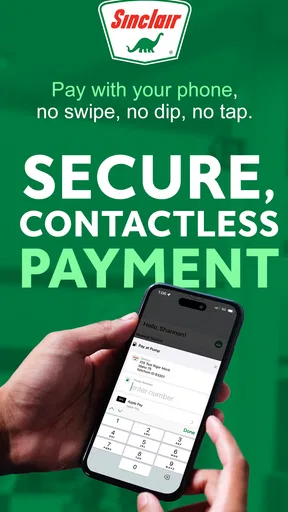
- Convenient mobile payment option at participating Sinclair locations.
- Digital receipts make fuel purchases easier to track.
- Simple interface with clear station and transaction details.
- May provide access to Sinclair promotions and loyalty rewards.
Cons
- Availability depends on participating Sinclair stations and supported regions.
- Fuel price information may occasionally be delayed or inaccurate.
- Requires location access for the best station-finding experience.
- Payment setup may require extra verification before first use.
- App usefulness is limited outside areas served by Sinclair.
FAQs for DINOPAY - Sinclair Oil
What is DINOPAY - Sinclair Oil, and what can I use it for?
DINOPAY is Sinclair Oil’s mobile payment and rewards app for participating Sinclair fuel stations. After installing it, users can typically locate nearby stations, view available fuel information, pay for fuel from a compatible pump, and manage eligible rewards or promotions. Features may vary by location, station equipment, account status, and current Sinclair program availability.
How do I pay for fuel with the DINOPAY app?
To use mobile fuel payment, you generally need to create or sign in to a DINOPAY account, add an eligible payment method, select a participating Sinclair station, and follow the instructions shown in the app or at the pump. Location access may be required to identify the correct station. Not every Sinclair location or pump necessarily supports every app feature.
Does DINOPAY offer discounts, rewards, or promotional savings?
DINOPAY may provide access to Sinclair rewards, fuel discounts, promotional offers, or other loyalty benefits, depending on the program available in your region. Offers can have expiration dates, usage limits, participating-station restrictions, and account requirements. Before relying on a discount, check the promotion’s terms in the app and confirm that the selected station accepts it.
Is DINOPAY safe to use for payments and personal information?
DINOPAY is designed to process payments through an account-based mobile experience, but users should still follow normal security practices. Download the app only from an official app store, use a strong password, keep the application updated, and avoid sharing login or payment details. Review the app’s privacy policy to understand how location, account, and transaction information may be handled.
What should I do if DINOPAY does not work at a Sinclair station?
If the app cannot find your station, fails to authorize payment, or does not connect to the pump, first check your internet connection, location permissions, app updates, and saved payment method. You can also try restarting the app or using the station’s regular payment option. Availability may depend on pump compatibility, temporary service issues, or regional restrictions, so contact Sinclair support if the problem continues.


